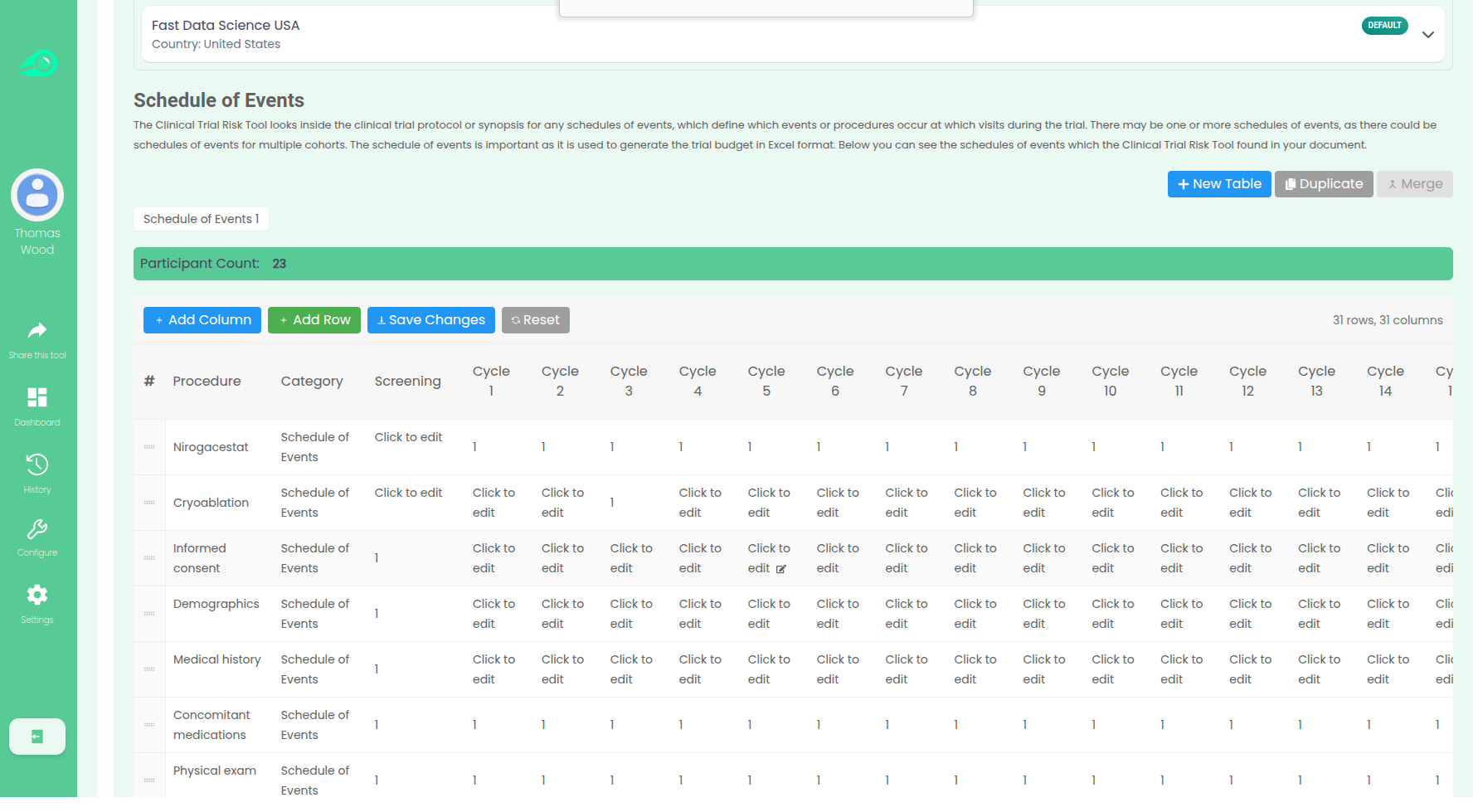
How can you use the Clinical Trial Risk Tool to create a per-subject budget from a protocol or synopsis and a site Charge Master? The video below walks you through how the Clinical Trial Risk Tool by Fast Data Science can accelerate your budgeting.
The Clinical Trial Risk Tool streamlines the creation of a per-subject budget by automating the typically manual process of extracting data from the Study Protocol and cross-referencing it with Charge Master/Fee Schedules.
The tool focuses on the Schedule of Events table within the study protocol. This table is critical because it lists every procedure and assessment (Y-axis) and specifies the visit (X-axis) at which each will take place (often marked with an “X”). The tool pulls out this table data from the PDF protocol, overcoming the need for manual transcription.
Once the procedures and the relevant visits are identified, the tool uses the Charge Master/Schedule of Procedure Fees which the user has selected. The Charge Master contains the local codes and costs for various procedures. The tool cross-references the procedures identified in the Schedule of Events with their associated costs in the Charge Master, using generative AI (vector similarity).
By matching the required study procedures with their local costs, the tool can fill out an itemised budget (e.g., cost of vital signs, lab procedures, blood draws, etc.) for each patient visit, ultimately compiling the total per-subject budget.
You can also check out our recent White Paper.
How does the tool work? https://clinicaltrialrisk.org/clinical-trial-protocol-software/create-clinical-trial-budget-from-synopsis/
More about Fast Data Science: https://fastdatascience.com/
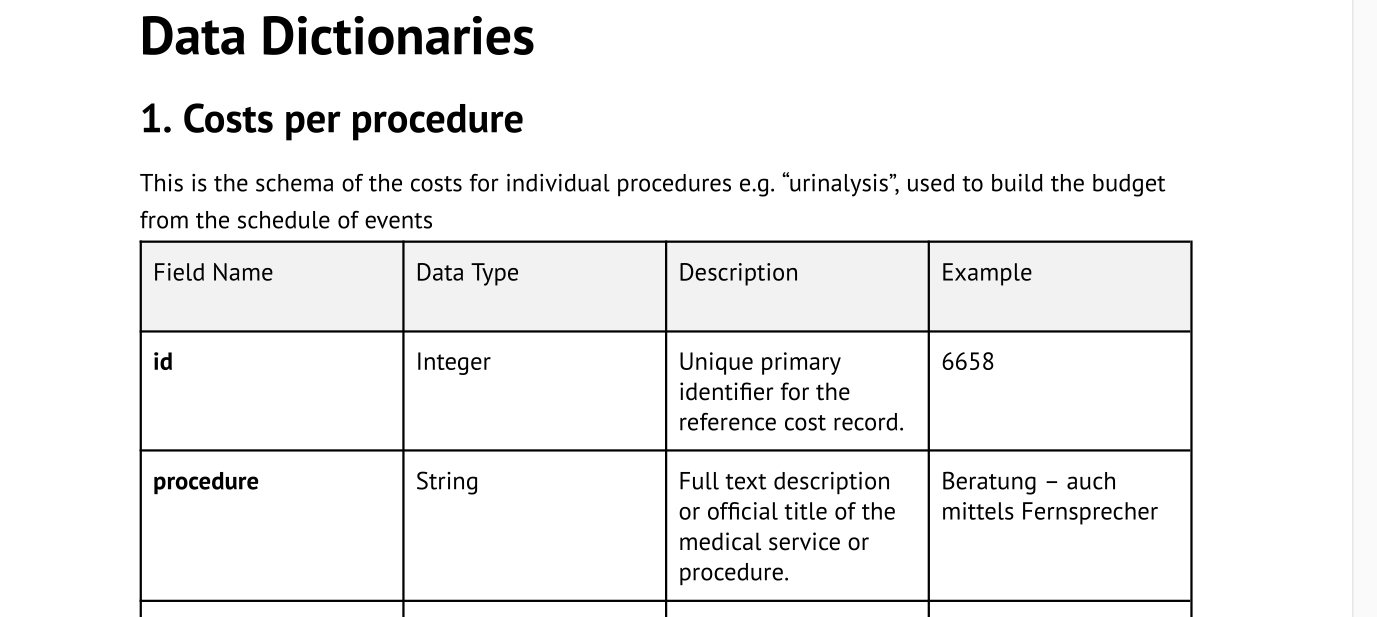
The Clinical Trial Risk Tool estimates top down cost and itemised site budgets using proprietary cost datasets of trial costs and procedure costs. These costs are assembled from publically available data. You can click below to view our data dictionary. Clinical Trial Risk Tool Trial cost data You can download the data dictionary used for cost estimation in the Clinical Trial Risk Tool Download data dictionary
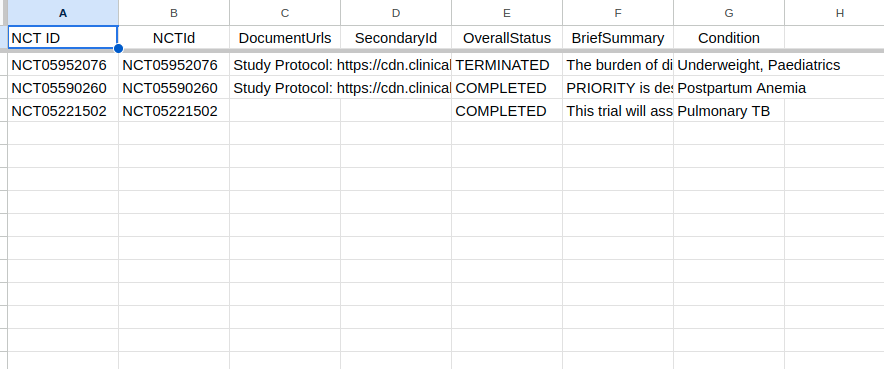
Clinical Trial Data Lookup Google Sheets™ plugin Do you need to look up clinical trial data from the NCT ID? Fast Data Science has developed a Google Sheets™ add-on (plugin) which finds clinical trials data. The plugin uses the clinicaltrials.gov API. Clinical Trial Data Google Sheets™ Plugin Install plugin Install the free Google Sheets™ plugin for looking up clinical trial data Install Plugin The user will provide a number of NCT IDs in column A (or whichever one they choose) in the Google Sheet™, and the tool will look up those NCT IDs and retrieve information on those trials and populate that information into columns.

You may have been tasked with creating a clinical trial site budget. This is a budget itemising all the costs that will be incurred at the study site. The site budget may be needed To estimate the total cost of that site running part of the trial, as part of a bid to the CRO or sponsor To identify who needs to be reimbursed for each cost item To ascertain whether or not it is feasible to run the trial at that site To ensure that the site is reimbursed for the costs that they incur while running the trial If you are building a site budget, the most important document is the study protocol.